
Handle Background Noise in Voice Assistant Testing
Handling background noise in voice assistant testing is crucial to ensuring that the system functions accurately in real-world environments. Voice assistants are often used in noisy settings such as busy streets, offices, homes with multiple conversations, and vehicles with engine sounds. If background noise interferes with speech recognition, users may experience frustration due to frequent misinterpretations or failed responses. Effective testing helps refine the assistant’s ability to filter out noise and focus on the user’s voice, improving overall performance.
One of the first steps in handling background noise during testing is creating controlled noise environments. Testers simulate various real-world scenarios, such as playing music, television audio, traffic sounds, and overlapping conversations while evaluating the assistant’s recognition accuracy. By introducing different noise levels, from minimal disturbances to high-intensity noise, Al-powered chatbot and voice assistant testing can determine the assistant’s threshold for effective speech recognition. If performance drops significantly in noisy environments, adjustments may be needed in noise reduction algorithms or microphone sensitivity.
Multiple microphone configurations should be tested to ensure that hardware plays an effective role in minimizing background noise. Many voice assistants rely on array microphones with beamforming technology to focus on the primary speaker’s voice while reducing surrounding noise. Testing different hardware setups across devices such as smartphones, smart speakers, and car infotainment systems helps identify which configurations offer the best noise-handling capabilities. If a particular microphone setup struggles with noise interference, additional filtering techniques may need to be implemented.
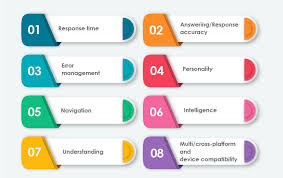
How Do You Handle Background Noise in Voice Assistant Testing?
Another essential aspect of background noise testing is evaluating the effectiveness of speech enhancement algorithms. Many voice assistants use noise suppression and echo cancellation to filter out irrelevant sounds. Testing should involve comparing the system’s responses with and without noise filtering enabled to assess how well these algorithms improve speech recognition. If noise suppression results in distorted or incomplete speech recognition, developers may need to fine-tune the balance between filtering and maintaining speech clarity.
Testing should also consider the impact of different voice frequencies and sound masking. Some background noises, such as low-frequency traffic sounds or high-pitched alarms, can interfere with speech recognition in unique ways. By analyzing how different noise frequencies affect the assistant’s ability to process commands, testers can improve the system’s ability to distinguish speech from various types of noise. Additionally, white noise or adaptive sound masking techniques can be tested to see if they help the assistant focus on the speaker’s voice in extremely noisy environments.
Real-world user testing plays a significant role in evaluating background noise performance. Users should be asked to interact with the assistant in their natural environments, such as during a commute, at a café, or at home with family conversations in the background. Collecting user feedback and analyzing speech recognition logs from these real-world tests help identify patterns in misinterpretations caused by noise. If users report frequent failures in specific noisy conditions, targeted improvements can be made to enhance recognition accuracy.
Ongoing machine learning training with diverse datasets of speech mixed with background noise helps the voice assistant adapt over time. By continuously refining the system with new data, developers can improve noise resilience and ensure that the assistant performs well in dynamic, everyday environments. Handling background noise effectively in voice assistant testing enhances reliability, making the assistant more useful and accessible to a wider range of users.